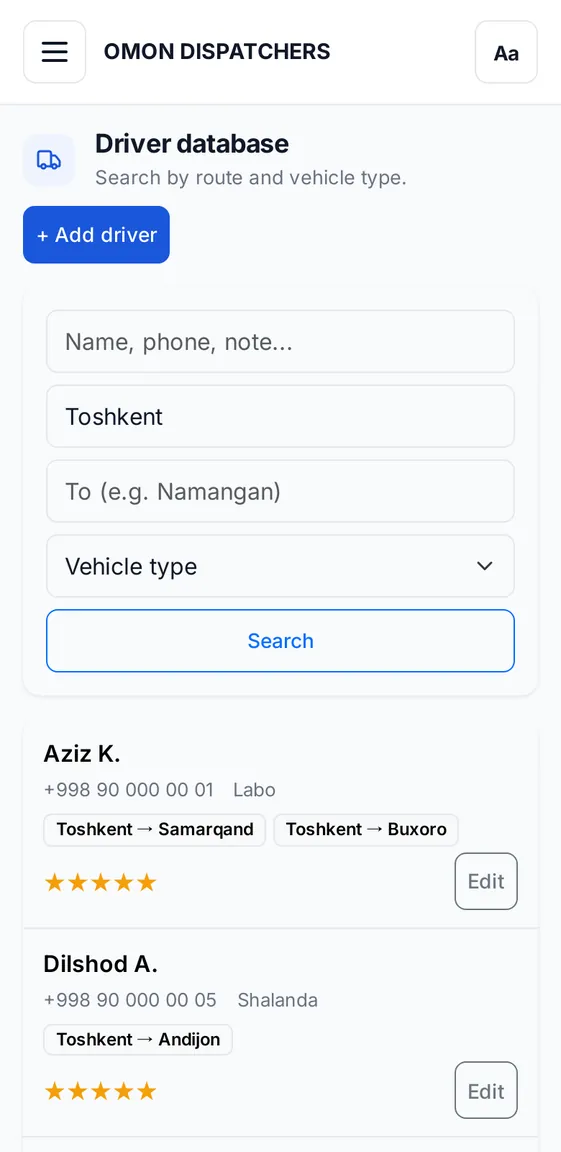
What the database stores
Name and phone
The driver's name and contact number.
Vehicle type
Labo, Gazel, Isuzu, Fura, Shalanda and other types.
Routes
Which cities the driver travels between. You can add several routes.
Note and rating
A short note and 1 to 5 stars, so you remember who is reliable.
Finding a driver fast
Open search
Search by name, phone or note.
Enter the route
From where and to where, for example Tashkent and Namangan.
Pick the vehicle type
Only drivers with the right type remain.
Only you see your database
Drivers you add are visible only in your account. Other dispatchers cannot see or change them.
Private messages to drivers
The Drivers section on the new post page works with your Telegram contacts:
- you add contacts to vehicle type folders;
- click a folder and everyone in it is selected;
- the post goes to each person in a private chat, with an 8–18 second delay;
- remove anyone added by mistake with one click.
About limits
You can select up to 200 contacts for private chats in one post. We recommend starting with 30–50: Telegram may treat bulk messages as spam.
Frequently asked questions
Why do I need a driver database?
So a dispatcher can find the right vehicle fast: a search by route and vehicle type takes a few seconds.
How do I add a driver?
Enter the name, phone and vehicle type, then add routes. The note and rating are optional.
Keep reading
Get your driver database in order
In Masterclass 1.0 we show how to keep it.