Key facts
14 daysschedule ahead
up to 5 timesrepeats
10–60 minutesrepeat interval (10, 20, 30, 45, 60)
up to 40groups per schedule
How to schedule
Write the post
On the new post page, enter the text and pick groups.
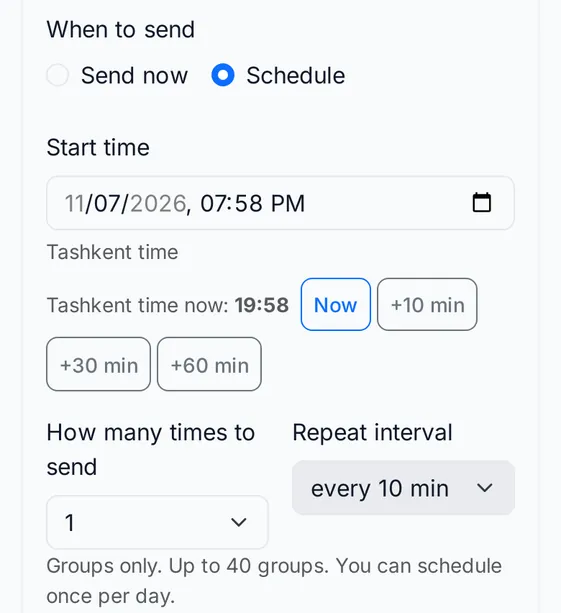
Choose Schedule
Set the start time in Tashkent time.
Set the repeat
Choose how many times and at what interval to repeat.
Managing the schedule
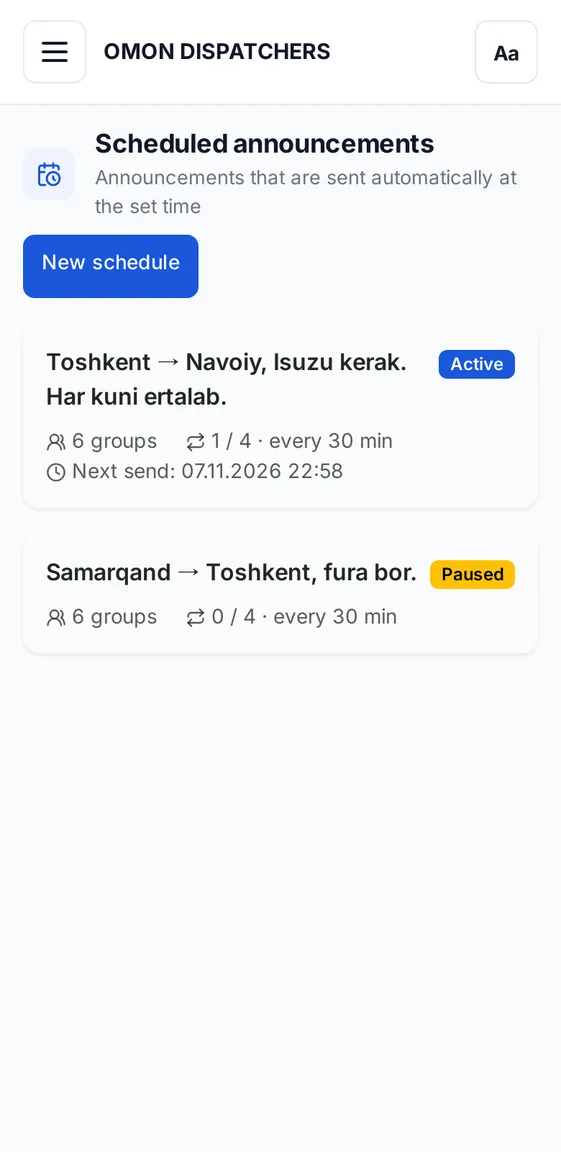
Scheduled posts appear on a separate page. For each one you can see and do:
- status: active, paused, finished or cancelled;
- the next send time and how many repeats are done;
- pause, resume, edit and cancel.
Limits
Scheduling works for groups only (not private chats) and is available once a day.
If Telegram limits your account or Telegram is not connected, the schedule pauses and the reason is shown. You can resume a little later.
Frequently asked questions
Which time zone is used?
Tashkent time. The form also shows the current time in Tashkent.
What happens if a send is missed?
If the system stopped unexpectedly, the missed send is marked and later repeats continue as planned.
Keep reading
Telegram group posting without spamInstead of copying one text group by group: write it once, pick groups from a folder, and let the system send with a delay.
Driver database: a reliable driver in secondsKeep name, phone, vehicle type and routes in one place. Search by route and message drivers directly.
Masterclass 1.0: a live session for dispatchersLearn to work on the platform in a live stream in Uzbek. Seats are limited to 99.
Schedule posts in advance
In Masterclass 1.0 we show scheduling live.