Five steps
Apply in the bot
Open @omon_dispatchers_bot. Applications for Masterclass 1.0 are accepted there.
Log in to the platform
Once your account is opened, enter the panel with the Log in button.
Connect your Telegram account
Enter your phone number and confirm the code from Telegram. The code usually arrives in the official Telegram chat, not by SMS.
Sort groups into folders
Add your groups to vehicle type folders: Labo, Gazel, Isuzu, Fura and others.
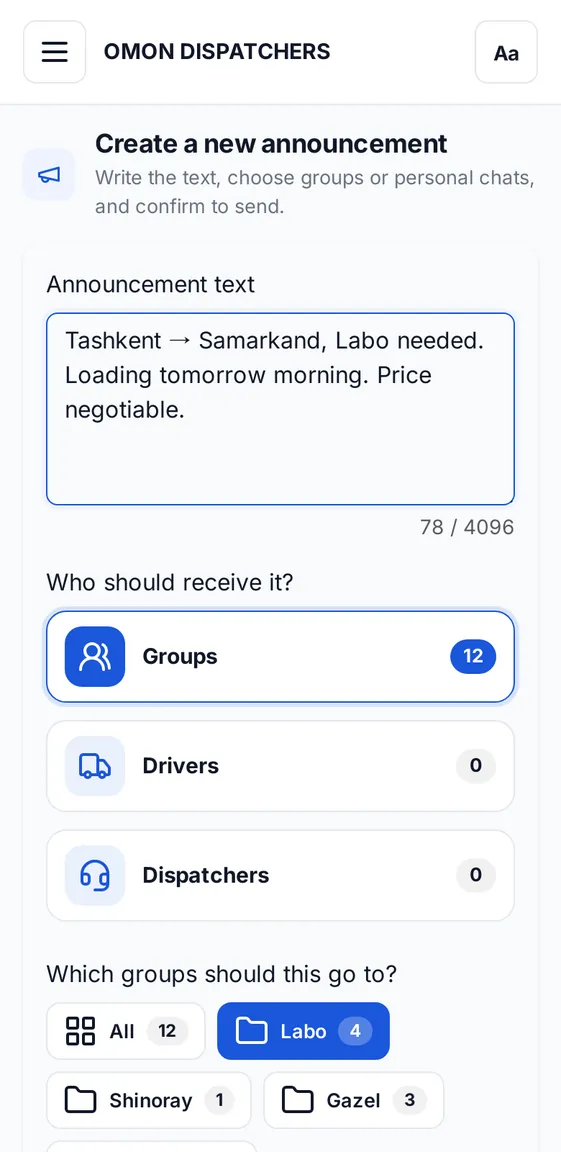
Send a post
Write the text, pick the groups and send now or set a time.
More features
Add drivers to the database with a route and vehicle type, send posts to your contacts in private chats and keep a list of fellow dispatchers.
Keep reading
Telegram group posting without spamInstead of copying one text group by group: write it once, pick groups from a folder, and let the system send with a delay.
Driver database: a reliable driver in secondsKeep name, phone, vehicle type and routes in one place. Search by route and message drivers directly.
Scheduled and repeating postsSet a post for the time you need and the system sends it for you. It can repeat up to 5 times.
Ready when you are
Applications go through the Telegram bot.